
Can you really work from a van? You can, but only if your internet and power keep up. We lived in our Promaster full time for 5 years, and this is the setup that kept us online. We don’t live in it full time anymore, but we still take it out, now with our baby. In this post we’re sharing what’s still in the van and how it’s held up. The full Starlink install is in our Starlink post.
Note: The links provided in this blog post are affiliate links. If you end up purchasing some of these items we get a small portion of the sales.
Quick setup stats
- Van: Ram Promaster 2500 159”
- Internet: Starlink, plus a weBoost cell booster
- Power: 400W of Renogy solar and a 3000W inverter
- Still working?: The dish, booster, solar, and inverter are still in use. The dish case didn’t last.
Internet
Starlink

We don’t mount the dish permanently. It sits on the roof with a removable 4-prong mount, or on the ground when we need to park in the shade. The cable comes outside through this cable gland, and these magnets keep the mount extra secure on the roof.
Tip: Starlink works best with a clear view of the sky. Under light tree cover in Flagstaff we had short outages a few times an hour.
Where we store the dish
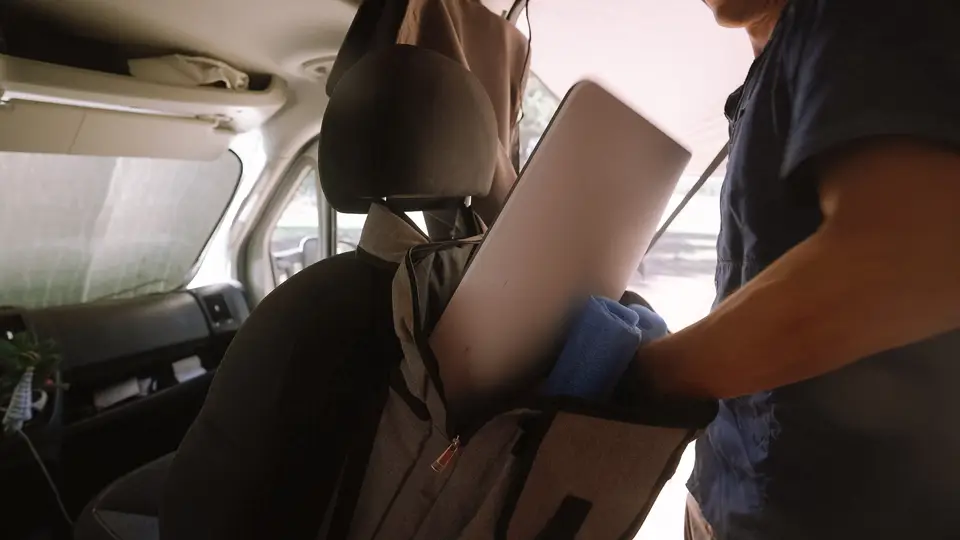
The back of the passenger seat! This art portfolio case zips shut, fits the dish, and straps to the headrest. With Penelope (our dog) around, we felt safer keeping it out of her reach. Honestly, the case didn’t hold up well.
weBoost
Before Starlink, the weBoost Drive Reach was how we stayed connected, and it’s still in the van for places with a little signal.
Power
Solar

Our Renogy 400W solar kit lives permanently on the roof. Unlike the Starlink dish, it never comes down.
Inverter


The GoWISE 3000W inverter sits in our electrical corner in the back and powers the Starlink router. That said, Starlink pulls real power, so plan your battery and solar around it.
Battery
Our battery was the Renogy 170Ah lithium, which Renogy no longer sells. The closest current version is the Renogy 200Ah Mini.
Recap
- Use a cable gland to bring the Starlink cable outside without leaks.
- Keep the mount removable so you can chase the open sky.
- Find a safe spot for the dish while you drive (pick a sturdier case than ours).
- Keep a cell booster for the places Starlink can’t see.
- Size your solar and battery for everything you’ll run.
We hope this helps if you’re setting up to work from the road. If you have questions about any of it, write us!